
What does complexity mean in code?
Contrary to what many people think, we don't write code for the machine, we write it for other developers. At the end of the day, even if our code is complex, the machine will still understand and execute it.
For a product to be high quality, it isn't enough for the application to run. We also need to make sure that:
- the logic is implemented correctly, which means testing the possible paths through the application
- the code is easy to maintain and evolve, so other developers, or even we ourselves in the future, can understand what we wrote today
- the application scales well
- the application performs well enough for our users
- and so on
There are many forms of complexity. If we don't keep them under control, they quietly turn into technical debt, which can have serious consequences:
- new features take longer to implement
- onboarding new developers gets harder
- bugs hide in the least obvious places
In practice, complexity has a direct impact on:
- development speed
- bug count
- the system's ability to evolve
There are several kinds of complexity, but this post focuses on two widely used metrics: cyclomatic complexity and cognitive complexity.
Cyclomatic complexity
The idea was introduced in 1976 by Thomas J. McCabe, Sr..
Cyclomatic complexity measures the number of linearly independent execution paths through a function or method.
Think of a function as a road map. Cyclomatic complexity tells you how many distinct logical routes there are between the entry point and the exit point.
In basis-path testing, that value helps you estimate how many white-box tests are needed to exercise the main branches without having to enumerate every possible path.
How do you measure cyclomatic complexity?
There are several ways to measure it, from formal mathematical approaches to the more practical approach of counting control-flow decisions. For this post, I'll stick to the practical view, although the graph-based definitions are worth exploring separately.
Think about a method.
You always start with:
- +1 (base value of the method)
Then add +1 for each decision that creates a new path.
Important note: depending on the tool (Sonar, linter, plugin, language), the exact count can vary slightly in specific cases.
What usually counts as +1
1. Control-flow conditions
ifelse if/elifelse- doesn't count, because it doesn't create a new independent path
2. Loops
forwhiledo whileforeach
3. switch / match
- each
caseusually counts as +1 defaultusually doesn't count
Some tools count the switch itself as 1 plus the number of cases. Others count only the case branches.
4. Short-circuit logical operators
&&||
Each logical operator inside a condition often counts as +1, though not all tools count them consistently.
Example:
if (a && b || c)
{
  // ...
}
Typical count:
if- +1&&- +1||- +1
5. Ternary operator
condition ? whenTrue : whenFalse- +1
6. Exceptions and control flow
- each
catch- +1 finallyusually doesn't countreturn,break,continue, andgotousually don't count directly
Why? Because these constructs don't create a new independent logical path on their own. They either handle an existing path (catch) or simply terminate or redirect control flow.
What usually doesn't count
Besides the items already mentioned, this is where people often get tripped up:
else- method calls
- assignments (
=) - LINQ/streams, unless there is relevant internal conditional logic that affects the count
Practical examples
Example 1: Simple function
int Sum(int a, int b)
{
  // +1 (base)
  // Total: 1
  return a + b;
}
The flow is completely linear, with no decisions or branches, so cyclomatic complexity stays at the minimum value.
Example 2: Simple if
int GetSign(int number)
{
  // +1 (base)
  if (number > 0) // +1 (if)
  {
    return 1;
  }

  // Total: 2
  return -1;
}
This creates two possible execution paths: one when the condition is true and one when it is false, so cyclomatic complexity rises to 2.
Example 3: if/else
int GetSignWithElse(int number)
{
  // +1 (base)
  if (number > 0) // +1 (if)
  {
    return 1;
  }
  else
  {
    return -1;
  }
  // Total: 2
}
The else doesn't add a new independent path. It simply makes the complementary branch explicit, so the complexity stays the same as in the previous example.
Example 4: if + logical operator
bool IsValid(int age, bool hasPermission)
{
  // +1 (base)
  if (age > 18 && hasPermission) // +1 (if), +1 (&&)
  {
    return true;
  }

  // Total: 3
  return false;
}
The logical operator inside the condition introduces an extra decision, so this rises to 3 even though the structure still looks simple.
Example 5: if + else if
string GetCategory(int score)
{
  // +1 (base)
  if (score > 90) // +1 (if)
  {
    return "A";
  }
  else if (score > 70) // +1 (else if)
  {
    return "B";
  }

  // Total: 3
  return "C";
}
Each else if is its own decision and adds another independent path, so the complexity increases step by step.
Example 6: Loop with an internal condition
int CountAdults(List<int> ages)
{
  // +1 (base)
  var count = 0;

  foreach (var age in ages) // +1 (foreach)
  {
    if (age >= 18) // +1 (if)
    {
      count++;
    }
  }

  // Total: 3
  return count;
}
The loop introduces a decision point: keep iterating or exit. That adds another possible path and brings the complexity to 3.
Example 7: switch
string GetDayType(int day)
{
  // +1 (base)
  switch (day)
  {
    case 1: // +1 (case)
    case 7: // +1 (case)
      return "Weekend";
    default:
      return "Weekday";
  }

  // Total: 3
}
Each case represents an alternative execution path, and default works as a fallback similar to else. With this counting approach, the total is 3, although some tools apply slightly different rules to switch.
Example 8: Nested conditions
bool CanAccessNested(User user)
{
  // +1 (base)
  if (user != null) // +1 (if)
  {
    if (user.IsActive && user.HasPermission) // +1 (if), +1 (&&)
    {
      return true;
    }
  }

  // Total: 4
  return false;
}
Nested conditions add more execution paths, so the count keeps rising even in a short method.
Example 9: Early return
bool CanAccessGuardClause(User user)
{
  // +1 (base)
  if (user == null) // +1 (if)
  {
    return false;
  }

  if (!user.IsActive || !user.HasPermission) // +1 (if), +1 (||)
  {
    return false;
  }

  // Total: 4
  return true;
}
Cyclomatic complexity stays at 4, but the logic becomes flatter because it uses guard clauses.
Example 10: Compound condition
bool HasAccess(bool a, bool b, bool c, bool d)
{
  // +1 (base)
  if ((a && b) || (c && d)) // +1 (if), +1 (&&), +1 (||), +1 (&&)
  {
    return true;
  }

  // Total: 5
  return false;
}
The density of logical operators makes the count climb quickly, which shows how expensive compound conditions can become even in short functions.
Example 11: try/catch
string ParseInput(string input)
{
  // +1 (base)
  try
  {
    return int.Parse(input).ToString();
  }
  catch (FormatException) // +1 (catch)
  {
    return "Invalid format";
  }
  catch (OverflowException) // +1 (catch)
  {
    return "Number too large";
  }

  // Total: 3
}
Each catch represents an alternative control-flow path for a specific failure, so multiple handlers naturally increase cyclomatic complexity.
Limitations of cyclomatic complexity
This metric is useful, but it doesn't tell the whole story.
Its biggest limitation is that it doesn't penalise nesting very well.
That's why two pieces of code can have the same cyclomatic complexity and still feel very different to read, as in examples 8 and 9.
Cognitive complexity
This metric isn't about lines of code. It's about the mental effort needed to understand a piece of code.
Cognitive complexity measures how hard it is for a person to follow the flow of a function or method. The modern formulation most people know was popularised by SonarSource, and it is more heuristic and tool-dependent than cyclomatic complexity.
Unlike cyclomatic complexity, cognitive complexity starts at 0. The score increases when linear flow is interrupted, and it penalises nesting progressively. That better reflects the cost of holding multiple contexts in your head at once.
In practical terms, think of a method like this:
if,else if,switch, and loops add +1- nesting is penalised more heavily
- compound logical operators (
&&,||) can also increase cognitive complexity because they force you to keep multiple conditions in mind and can hurt readability more than the cyclomatic number alone suggests elsedoesn't count- early return is not penalised
- syntax sugar tends not to be penalised
Depending on the tool, other constructs such as try/catch, recursion, break, continue, and ternary operators may also contribute to the score.
Another important consequence is that guard clauses (early return) usually make code easier to read and often reduce cognitive cost, even when cyclomatic complexity stays the same.
Note: the exact rules vary by implementation and tool, so use this metric as a guide to readability, not as an absolute mathematical truth.
Practical examples
Example 1: Linear function
int Sum(int a, int b)
{
  // Total: 0
  return a + b;
}
Purely linear flow. No decisions, no branching, and no nesting. The mental effort needed to understand it is zero.
Example 2: Simple if
int GetSign(int number)
{
  if (number > 0) // +1 (if)
  {
    return 1;
  }

  // Total: 1
  return -1;
}
One clear decision at the top level. Cognitive complexity is 1.
Example 3: Logical operators
bool IsValid(int age, bool hasPermission)
{
  if (age > 18 && hasPermission) // +1 (if), +1 (&&)
  {
    return true;
  }

  // Total: 2
  return false;
}
The conditional already breaks the linear flow, so that adds +1. The logical operator sequence (&&) adds another +1 because the developer has to keep multiple logical states in mind at the same time.
Example 4: if/else if chain
string GetCategory(int score)
{
  if (score > 90) // +1 (if)
  {
    return "A";
  }
  else if (score > 70) // +1 (else if)
  {
    return "B";
  }

  // Total: 2
  return "C";
}
This is still relatively easy to read, even with two branches. The cognitive complexity is 2, which is reasonable for a small function.
Example 5: Nested if
bool IsValidUser(User user)
{
  if (user != null) // +1 (if)
  {
    if (user.IsActive) // +1 (if) + 1 (nesting penalty)
    {
      return true;
    }
  }

  // Total: 3
  return false;
}
This is where nesting starts to hurt. The reader has to keep the context of the first if in mind while reading the second.
Example 6: Multiple levels of nesting
bool CanProcessOrder(Order order)
{
  if (order != null) // +1 (if)
  {
    if (order.IsValid) // +1 (if) + 1 (nesting penalty)
    {
      if (order.Total > 0) // +1 (if) + 2 (nesting penalty)
      {
        return true;
      }
    }
  }

  // Total: 6
  return false;
}
With three levels of nesting, cognitive complexity jumps to 6. The reader has to keep three conditions in mind at once.
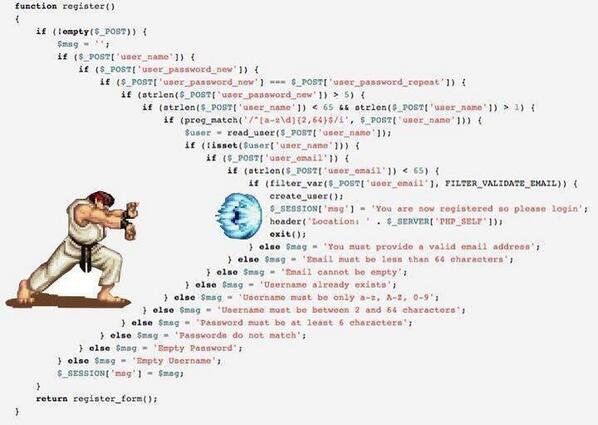
At this point, the nesting penalty starts to look less like business logic and more like a Code Kamehameha charging up.
Example 7: Guard clauses
bool CanProcessOrder(Order order)
{
  if (order == null) // +1 (if)
    return false;

  if (!order.IsValid) // +1 (if)
    return false;

  if (order.Total <= 0) // +1 (if)
    return false;

  // Total: 3
  return true;
}
This is where guard clauses shine. The structure has the same number of decisions, but cognitive complexity drops to 3 because the nesting disappears.
Example 8: Compound logical operators
bool HasPermission(User user, Resource resource)
{
  if (user.IsAdmin || (resource.IsPublic && user.IsResourceOwner)) // +1 (if), +1 (||), +1 (&&)
  {
    return true;
  }

  // Total: 3
  return false;
}
Here the cognitive complexity is 3 even with only one if, because the condition forces the reader to hold several logical relationships in mind.
Example 9: Nested logical operators
bool HasPermission(User user, Resource resource)
{
  if (user.IsActive) // +1 (if)
  {
    if (user.IsVerified && user.HasPermission) // +1 (if), +1 (&&), +1 (nesting penalty)
    {
      return true;
    }
  }

  // Total: 4
  return false;
}
Here the score rises because the reader has to deal with both nesting and a compound condition at the same time.
Example 10: Nested for loop
int countExpensiveItems(List<Order> orders)
{
  int count = 0;

  for (int i = 0; i < orders.Count; i++) // +1 (for)
  {
    for (int j = 0; j < orders[i].Items.Count; j++) // +1 (for) + 1 (nesting penalty)
    {
      if (orders[i].Items[j].Price > 100) // +1 (if) + 2 (nesting penalty)
      {
        count++;
      }
    }
  }

  // Total: 6
  return count;
}
Nested loops are penalised in the same way as nested if blocks.
Example 11: switch
int GetStatus(string status)
{
  switch (status) // +1 (switch)
  {
    case "New": return 1;
    case "InProgress": return 2;
    case "Done": return 3;
    default: return 0;
  }

  // Total: 1
}
A switch is often cognitively cheaper than a long chain of else if branches because the reader follows one discriminator with explicit branches instead of re-evaluating a different condition in each branch.
Trade-offs
All of these metrics are tools to help us write better code, but they aren't absolute rules. The goal is to balance clarity, maintainability, and performance.
Mathematical expressions
var result = (a * b + c / d) * Math.Pow(x, y) / (z + 1);
This example has cyclomatic complexity 1 (linear flow) and cognitive complexity 0 (no decisions). That still doesn't make it easy to understand. The reader still has to parse the expression itself, which can be mentally expensive even without branches.
Poor variable and function names
if (x)
{
  z();
}
Even with low cognitive complexity, poor naming can make code hard to understand. The reader has to work out what x represents and what z() actually does.
Breaking code apart
Sometimes, trying to reduce the local cyclomatic complexity of a method leads to extracting too many sub-methods that don't really need to exist. That forces the reader to jump between files and methods just to follow the logic, which can increase the mental effort required to understand the code even if each individual method has low cyclomatic complexity.
Lowering the local metric of a method doesn't guarantee a lower overall comprehension cost. If a refactor forces the reader to hop through too many methods, files, and intermediary names, the global cognitive cost can go up instead.
Tool limitations
To calculate these metrics, tools have to analyse the code statically. That means they can miss other important aspects such as business domains, design patterns, architecture, and more. Relying on these metrics alone can therefore lead to refactoring decisions that do not actually improve code quality.
Strategies for reducing complexity (without gaming the metrics)
- prefer guard clauses when they simplify the flow
- use smaller functions with clear responsibilities, without overslicing
- reduce unnecessary nesting
- extract business rules into more expressive names
- avoid giant conditions when they are not needed
- use metrics as an alarm, not as the final objective
- follow SOLID principles, calisthenic principles, and good design practices
Does it still make sense to talk about code complexity?
That may sound like a contradiction to what I said at the start with the phrase we don't write code for the machine, we write it for other developers. The way code is written is changing quickly. With the widespread adoption of AI, we can also say that the machine writes code for developers, and in some cases the machine writes code for another machine.
That can make a topic like this feel less relevant. I don't think that's true.
Agents are still orchestrated by developers, and we still set their rules, goals, and limits. We're also the ones who validate the code AI generates. One way or another, that means we still need to understand these concepts so we can configure the environment around those agents properly. We need to know how to set the right prompts, instructions, and validation criteria to make sure the code AI generates meets our standards for readability, maintainability, and correctness.
So this topic may not feel like the highest priority right now, and I can understand that view. It still matters, because in the end the responsibility for deciding what is right and what is wrong remains ours.